
How to Find Canyon County Court Dockets
Most Canyon County court dockets are searched through the statewide Idaho iCourt Portal. The portal is the Idaho Supreme Court's public case-search tool, run on the Tyler Odyssey platform. It covers Canyon County District Court and Canyon County Magistrate Division cases, plus the other 43 counties in the state. The "Search Hearings" tab is the tab most users want for a Canyon County court date, time, or courtroom.
The Idaho Courts site sends the public to the iCourt Portal for general case data and Canyon County hearings, and to the local clerk for actual case documents. A docket date returned by the portal is the working hearing schedule for that judge. Hearings can be reset, moved, or vacated. Re-check a Canyon County docket entry the day before any court date.
The lookup works best with the strongest identifier first. A known case number returns one case. A citation number works for traffic and infraction cases. A name search needs a first name and a last name. The Canyon County Warrants Unit notes that a date of birth is also needed for criminal and warrant lookups. The steps below walk through a standard Canyon County hearing search.
- Open the Idaho iCourt Portal at mycourts.idaho.gov or the Odyssey public portal at portal-idaho.tylertech.cloud/odysseyportal.
- Pick the "Search Hearings" tab from the top of the page.
- Set the Location filter to Canyon County or the Third Judicial District to narrow the result to local hearings.
- Enter a hearing date range, then add a judge, party name, or case number to focus the list.
- Run the search and open any row to view the case caption, the courtroom, and the linked register of actions.
- For paper copies of an order on the docket, file the Canyon County Court Records Request form with the clerk.
The Canyon County Court Assistance Office also runs a free iCourt kiosk in Room 334 of the courthouse. The kiosk lets the public search the same dockets without a home computer. Older paper files can be viewed at the kiosk but cannot be printed there.
Idaho iCourt Hearing Search Fields
The Canyon County hearing search uses a set of fields that match the Tyler Odyssey portal across Idaho. Some are required, some are optional, and some only show up after another field is set. The table below lists the main fields seen on a Canyon County court docket search.
| Field | Type | Required | Notes |
|---|---|---|---|
| Date Range | Date / date range | Yes | Start and end date for the hearing window; a one-week range keeps the result list short. |
| Court Type | Dropdown | Optional | District, Magistrate, or all; pick Magistrate for misdemeanors, small claims, family, and probate. |
| Judge | Dropdown | Optional | Pick a single judge to read a personal calendar for the day. |
| Location | Dropdown | Strongly suggested | Set to Canyon County or the Third Judicial District to keep the result local. |
| Party Name | Text | Optional | First and last name for an individual, or business name for a company. |
| Case Number | Text | Optional | Exact case number returns one case; format varies by case type. |
| Hearing Type | Dropdown | Optional | Filters to arraignment, motion, status, trial, or other event types. |
The "Make Payments" tab uses some of the same fields plus citation number, file or citation date, and balance, for users who only want to pay a Canyon County fine. The Idaho Courts payment guide lists Case Number, Citation Number, File or Citation Date, Name, and Balance as the lookup options on that tab. Compiled Canyon County data requests go through the Idaho Courts ICAR 32 process, not the hearing search.
Lead-in source from the Third Judicial District judge roster: the roster lists every Canyon County district and magistrate judge by name with chambers phone and assistant contact. That roster is what most users plug into the Judge field on a Canyon County docket search.
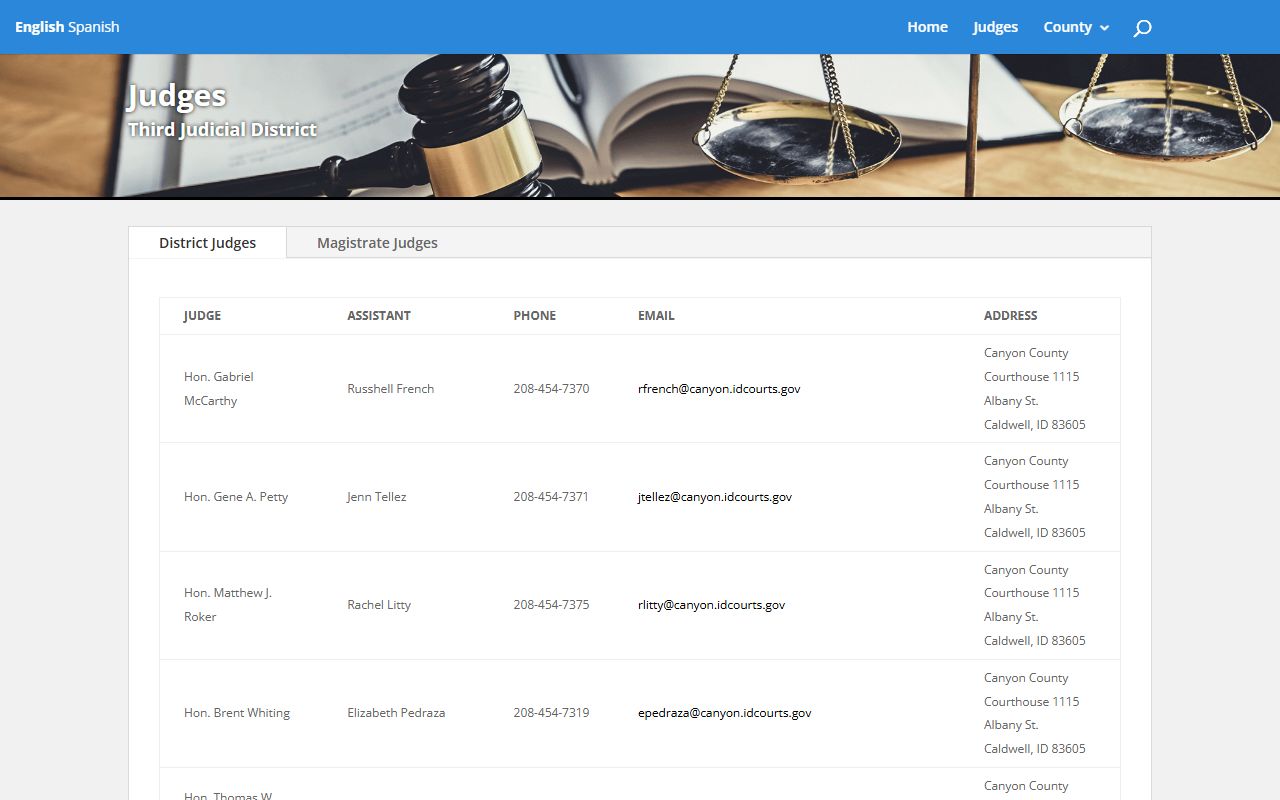
The roster is the source of truth for judge names that appear on a Canyon County docket. If a hearing notice lists a judge who is not on the roster, call the Canyon County court before relying on the date.
What Appears on a Canyon County Docket
A Canyon County docket entry is one dated line in the case calendar or register of actions. The iCourt case summary shows the hearing rows in one block and the register of actions in a second block. Each line is short but packed with data. The fields below come from the Idaho Courts public portal layout and the Canyon County case fields the clerk maintains on case summaries.
| Field | What It Shows |
|---|---|
| Date | Date the event was filed, set, or held. |
| Filing Type | Motion, order, hearing notice, plea, judgment, or other event class. |
| Party | Plaintiff, defendant, petitioner, or respondent named on the filing. |
| Judge | District or magistrate judge assigned to the case. |
| Courtroom | Room number at the Canyon County Courthouse or the Juvenile Justice Center. |
| Action / Result | Short summary of the event: held, vacated, reset, signed, granted, denied. |
| Hearing Time | Time of day the event is set; in-custody adult arraignments default to 1:30 PM. |
| Document Link | Some entries link to the filed order or notice; many do not, and require a clerk request. |
Sealed and exempt items do not show up. Idaho Court Administrative Rule 32 governs which entries appear, which are redacted, and which are blocked. Juvenile cases under Idaho Code 20-525 are mostly closed. Most adult criminal, civil, family, probate, and traffic dockets are open to the public.
District Court vs Magistrate Division Dockets
Canyon County has two trial-level dockets, both housed at the Canyon County Courthouse in Caldwell. The Canyon County District Court docket holds felony cases, civil cases over $10,000, appeals from the Magistrate Division, and judicial review of certain government decisions. The Canyon County Magistrate Division docket holds the high-volume work most residents touch first. Both are searched through the same iCourt Portal. The case mix and the day-to-day rhythm of each calendar are different.
| District Court Docket | Magistrate Division Docket | |
|---|---|---|
| Case mix | Felony cases, civil over $10,000, appeals from magistrate. | Misdemeanors, traffic, small claims, civil up to $10,000, evictions, family, probate, juvenile. |
| Typical events | Arraignment after bindover, status, motions, jury trial, sentencing. | First appearance, preliminary hearing, plea, bench trial, small claims hearing. |
| Judges | District judges including McCarthy, Petty, Roker, Whiting, VanderVelde, Grove, and ADJ Whitney. | Magistrate judges including Bever, Burrows, Dowell, Gulstrom, Dickinson, Orr, Schelstrate, Sullivan, Thompson, plus Onanubosi and Tucker on the juvenile side. |
| Volume | Lower volume; longer calendars per case. | High volume; short calendars per case. |
| Where | Canyon County Courthouse, 1115 Albany St. | Canyon County Courthouse and Juvenile Justice Center, 222 N. 12th Ave. |
Felony cases ride both Canyon County dockets. A felony case begins on the Canyon County Magistrate Division docket with a first appearance and a preliminary hearing. After bindover, the case moves to a Canyon County District Court docket for trial. A search by case number picks up both phases. Flip the Court Type filter to view only one segment of the case.
Common Docket Abbreviations and Terms
Canyon County dockets use a tight set of codes. Most are shared with the rest of Idaho because the same Odyssey case management system is used statewide. The list below covers codes seen most often on a Canyon County register of actions and Canyon County hearing list.
- ROA
- Register of Actions. The chronological log of every filing, order, and hearing in a single case.
- PC
- Probable Cause. Used on arrest and search warrant entries and on first appearances.
- NCO
- No-Contact Order. A criminal order barring the defendant from contact with a protected person.
- DV
- Domestic violence case flag. Triggers victim-safety procedures on the docket.
- CV
- Civil case. Money, contract, property, or non-family civil matters.
- CR
- Criminal case. Felony or misdemeanor.
- IN
- Infraction. Traffic and other low-level violations with no jail time.
- PR
- Probate case. Wills, estates, guardianship, conservatorship.
- OSC
- Order to Show Cause. A hearing where a party must explain why a court order should issue.
- MTN
- Motion. A written request asking the judge to act.
- ORD
- Order. The judge's directive on a motion or hearing.
- FTA
- Failure to Appear. Triggers a bench warrant in most criminal and traffic cases.
Two case-type prefixes are worth a separate note. A leading "M" on a case number points to a Magistrate Division matter under the older numbering style, while a leading "D" points to a District Court matter. The newer iCourt numbering uses a year and county code plus a sequence, and the case type is shown as a separate column rather than baked into the number itself.
Reading the Register of Actions
The register of actions is the heart of any Canyon County case file. Each line is a dated event. Read top-down to follow a Canyon County case in real time. Or scan for keywords like "warrant", "judgment", or "dismissed" to skip to the part that matters. The Canyon County Warrants Unit FAQ tells users to choose cases with an ROA and read the case history when checking for a warrant. The warrant itself shows up as a line on the ROA.
Charges and convictions sit side by side on a Canyon County ROA but are not the same. A charge is what the Canyon County Prosecuting Attorney filed. A conviction is what the court entered after a plea or trial. A dismissed charge or an acquittal still leaves a line on the docket. It does not become a conviction. Plea entries, sentencing entries, and final judgment entries all carry their own dates.
Bond entries also live on the ROA. Look for the date the bond was set, the type, and the amount. Surety bonds go through a bail bond company. A personal recognizance release is based on a promise to appear without full cash bond. A bench warrant entry usually means a Canyon County judge issued a warrant after a missed appearance. The docket will show the next step once the warrant is served or quashed.
Criminal Arraignment Timing
In-custody arraignments in Canyon County run on a fixed daily schedule. The Sheriff's Warrants Unit FAQ states that adults in custody see a judge at 1:30 PM, and juveniles in custody see a judge at 11:00 AM. The hearing happens at the courthouse on the next court day after booking. Friday, Saturday, and Sunday bookings see a judge on Monday unless Monday is a court holiday, in which case the hearing rolls to the next open court day.
The arraignment is the first criminal hearing. The judge reads the charge, takes a plea on misdemeanors, addresses bond, and sets the next date. For felonies, the next Canyon County docket event is usually a preliminary hearing in the Magistrate Division within 14 days. The case then waits for bindover before it appears on a Canyon County District Court docket.
Out-of-custody arraignments use a different docket. A defendant cited and released to a court date will see a Canyon County docket entry with a date, time, and courtroom. They are expected to appear without a separate notice from the jail.
Note: Always re-check the iCourt hearing tab the day before a Canyon County court date, since arraignments and motions can be reset or vacated on short notice.
Cameras and Courtroom Access
Most Canyon County court hearings are open to the public. Cameras and recording equipment are not. The Idaho Courts site explains that cameras, recording equipment, and cell phones used for recording in court proceedings require advance authorization from the presiding judge under Idaho Court Administrative Rule 45 and 46. The judge can revoke authorization at any time.
The rule limits where a camera operator can stand, when they have to be in place, and what they can record. Camera operators must be in position at least 15 minutes before court starts. They may not move around during the proceeding. They may not photograph jurors. They may not record attorney-client or side-bar communications. They may not record exhibits before they are admitted into evidence. Reporters who plan to cover a Canyon County docket should file an advance request with the presiding judge.
The full rule set sits on the Idaho Court Administrative Rules page. ICAR 32 governs records access. ICAR 45/46 governs camera and broadcast coverage. The Idaho Courts records and camera request page walks through the form and the time windows for Canyon County media access.
Archived Dockets and Older Cases
Not every Canyon County docket lives in iCourt. Older Canyon County cases predate the Odyssey rollout in Idaho. They sit in paper files held by the Canyon County Clerk of the District Court. iCourt may show a basic record for an older case. The docket entries and documents themselves are often paper-only.
The free iCourt kiosk at the Canyon County Court Assistance Office in Room 334 supports records searches for archived cases. Users can read the case at the kiosk. The Canyon County Court Assistance page is clear that archived records cannot be printed from the kiosk. Users have to file a clerk request. The standard copy fees are $1.00 per page for printed or emailed copies and $1.00 per document for certification.
Audio archives have their own fees. The Canyon County Court Records Request page lists $10.00 per audio CD, which holds about 70 minutes of court audio, and $10.00 for a digital audio link delivered by email. Canyon County audio requests need the case number, the parties, and the hearing date so the clerk can pull the right recording.
Jury Service and Public Calendars
Jury dockets in Canyon County are run by the Jury Commission in Room 200 of the courthouse. Jurors respond to a summons through the Idaho statewide juror response portal, the same site used by every county in the Idaho judiciary. The local Jury Commission also keeps an automated jury phone line at 844-509-1211 for daily reporting instructions.
Lead-in source: the statewide jury portal is the official juror response site referenced on the Canyon County jury page.
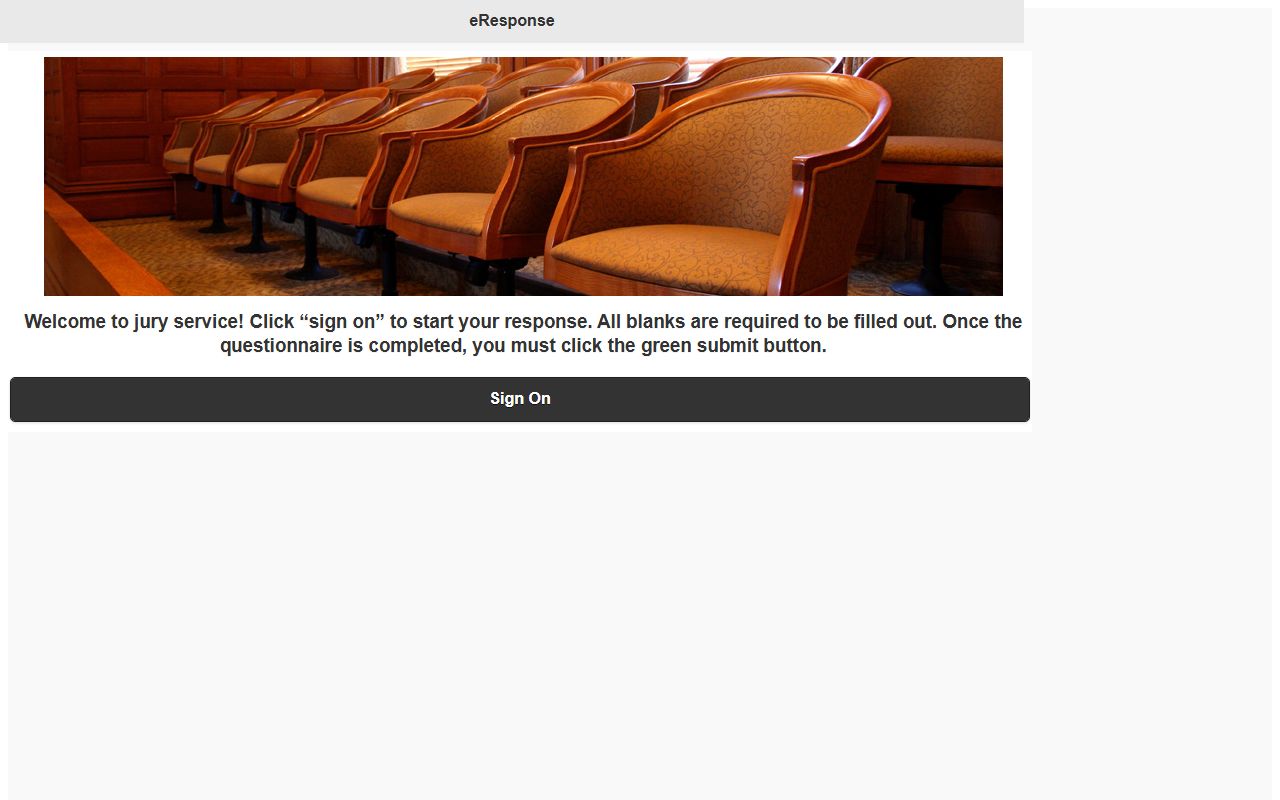
The portal lets a juror confirm a date, request a reschedule, or claim an excuse where allowed. Canyon County jury trial dockets are still set by the assigned district or magistrate judge. The trial calendar shows up on the iCourt hearing search like any other Canyon County docket. Public attendance at a Canyon County jury trial is open under the same camera and conduct rules that apply to other hearings.
The county-level Canyon County jury duty page covers reporting hours, the jury office address, ADA accommodation requests, juror compensation, and FAQs that tie back to the statewide portal.
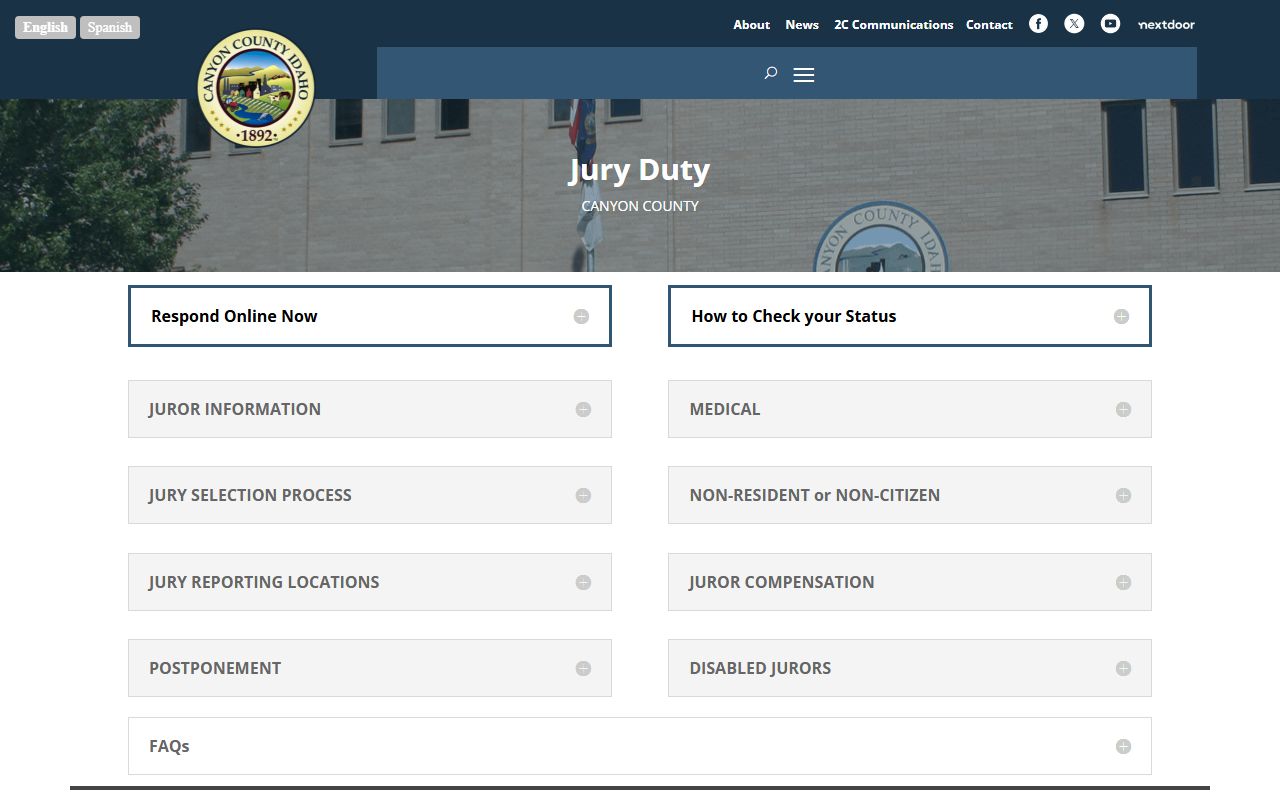
ADA accommodation requests for Canyon County jury service go to 208-454-7382 or canyonjury@canyon.idcourts.gov. Accommodations are also available for parties or witnesses appearing on any Canyon County docket.